


If your payroll software calculates super correctly but cannot help you track rejected contributions, the problem is not solved.
Since Payday Super commenced on 1 July 2026, employers have needed to manage super contributions at each payday, with contributions generally required to reach the employee’s super fund within seven business days. For businesses with 100–2,000 employees, that means managing more frequent transactions, maintaining accurate payment records and responding to exceptions without relying on spreadsheets alone.
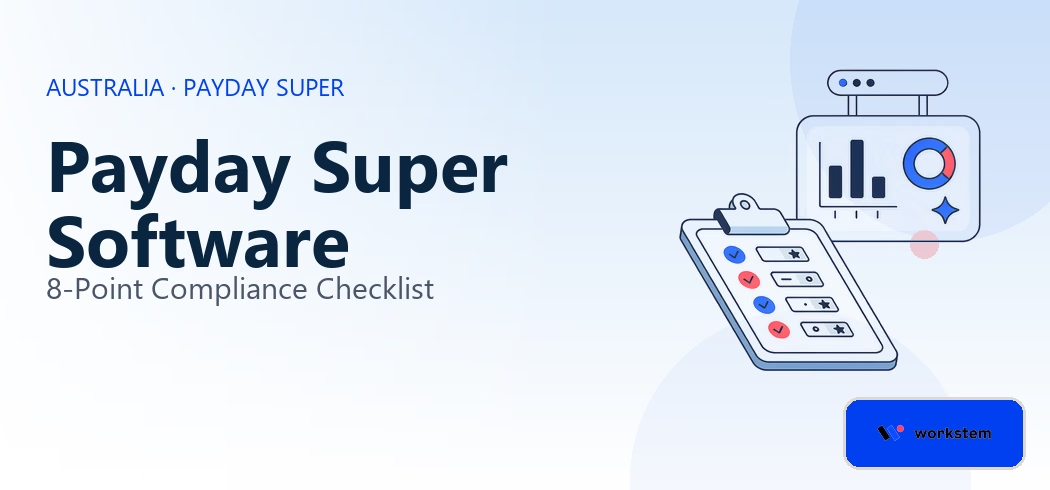
The right Payday Super payroll software should connect earnings calculations, contribution processing, reporting and exception management into a workflow your team can verify. Use this eight-point checklist to assess your current system or compare providers.
What should Payday Super payroll software do?
Payday Super payroll software should help employers calculate super using qualifying earnings, support contributions at the required frequency, maintain accurate reporting data and track exceptions through to resolution.
Software cannot independently guarantee compliance. The outcome still depends on correct configuration, employee data, payment arrangements and the employer’s actual processes.
The 8-point Payday Super software checklist
1. Can it calculate super on qualifying earnings?
Start by checking how the software identifies qualifying earnings and calculates SG for each employee.
From 1 July 2026, the general SG rate is 12% of qualifying earnings. The relevant earning categories include ordinary time earnings and specified other payments, including commissions and qualifying salary sacrifice amounts.
Ask the provider to demonstrate how its system handles your actual pay items, including bonuses, allowances, leave, salary sacrifice and adjustments. The exact treatment should follow the applicable rules rather than a generic assumption that every earning is treated identically.
Evidence to request: A sample calculation using your business’s real pay-item structure, with an explanation of how QE and SG amounts are calculated.
-
Can it support every pay frequency and payroll group?
The software should support your actual payroll calendar.
Businesses with 100–2,000 employees may operate weekly, fortnightly and monthly payrolls across multiple locations, entities or business units. Each group needs a clear contribution schedule that aligns with its payday.
Ask the provider how the system handles different pay frequencies, off-cycle payrolls, adjustments and separate entities. Confirm whether contribution records can be reconciled without manually combining multiple reports.
Evidence to request: A demonstration covering at least two of your actual pay frequencies and one non-standard or adjustment pay run.
3. Can it track payment deadlines and actual outcomes?
A calculation is not the same as a completed contribution. A software should help the team distinguish a calculated liability, a prepared payment, a submitted transaction and a contribution that has reached its intended fund.
Ask whether the system records payment dates, transaction references and statuses, and whether finance or payroll can identify contributions that still require attention.
Do not assume that a dashboard label such as “processed” means the statutory payment obligation has been met. Confirm exactly what each status represents and where receipt information comes from.
Evidence to request: A sample employee contribution history showing the calculation, payment status, transaction reference and final outcome.
4. Does it detect and manage rejected contributions?
Your software should make failed transactions visible and support a controlled correction process.
Common problems include incorrect member details, mismatched employee records and invalid fund information. Without a clear exception process, errors can remain unresolved across multiple pay runs.
Check whether the system can identify rejected or incomplete transactions, assign responsibility, record corrective action and show whether a resubmitted contribution was successful.
Ask what happens when an exception remains unresolved near a deadline. The system should support escalation and evidence retention rather than leaving the payroll team to monitor an unstructured inbox.
Evidence to request: A live demonstration of a rejected contribution being identified, corrected, resubmitted and fixed.
5. Can it support STP and the required reporting data?
The system should support the reporting changes associated with Payday Super, including qualifying earnings and super liability in STP reporting.
From 1 July 2026, employers need to report the relevant QE and super liability information through STP. Ask how the system generates this data, handles corrections and keeps reporting records aligned with payroll calculations.
Your team should understand which reporting steps are automated, which require approval and what happens when data is missing or needs to be corrected.
Evidence to request: A sample STP report or demonstration showing the required fields and the process for resolving a reporting discrepancy.
6. Does it support SuperStream and the payment arrangements you use?
Check how the software connects payroll calculations to the contribution payment process.
Ask whether it can generate or submit the required contribution data through the relevant SuperStream-compliant process, whether that process depends on a third-party clearing house, and how payment confirmations return to your records.
Payment speed matters, but so does the accuracy of transaction and member information. Confirm processing cut-offs, any manual approval requirements and which organisation is responsible for resolving issues at each stage.
The ATO’s super product register is a useful starting point when checking provider information. You should still validate the exact functionality and service arrangements directly with the provider.
Evidence to request: A walkthrough of a contribution from payroll calculation through submission, transaction status and reconciliation.
7. Can it support employee onboarding and changing fund details?
Software should help payroll obtain accurate fund information before it causes payment delays.
Ask how the system captures employee fund choices, supports relevant fund verification and handles changes to member or fund details. It should also help the team distinguish ordinary contribution deadlines from applicable extended periods.
For example, the first contribution for a new employee can be subject to a 20-business-day period in specified circumstances. The system should not treat that exception as a general extension for all subsequent contributions.
Review Workstem’s explanation of the 20-business-day rule for new employees for the distinction.
Evidence to request: A demonstration of new-employee onboarding, fund-detail validation and tracking of the applicable first-contribution deadline.
8. Can it provide an auditable record and useful reporting?
Finance and payroll need a traceable record of what was calculated, what was paid and how exceptions were resolved.
Reporting should allow authorised users to review contributions by employee, fund, entity and period, and reconcile those records with payroll and finance data.
For a larger employer, this also means checking access controls, record retention, exports and how historical changes are tracked. A large transaction volume is much easier to manage when the team can retrieve evidence without reconstructing every pay run manually.
Evidence to request: A sample audit report, an export of contribution history and a demonstration of how the system tracks changes and corrections.
Payday Super software comparison table
Use this table when evaluating different providers. The point is to compare demonstrable capabilities, not rely on broad claims that a product is “compliant” or “automated”.
| Evaluation area | Essential questions |
| QE calculation | Can the provider demonstrate correct calculations for your real pay items? |
| Payroll coverage | Can it manage every relevant pay frequency, entity and adjustment? |
| Payment tracking | Can you distinguish submitted contributions from final outcomes? |
| Error handling | Can rejected transactions be tracked through to resolution? |
| STP reporting | Can the required QE and SG liability data be generated and reconciled? |
| Payment integration | Are payment methods, transaction cut-offs and responsibilities clear? |
| Employee data | Does the onboarding process help prevent inaccurate fund information? |
| Audit trail | Can you retrieve contribution records and evidence of corrective action? |
A vendor comparison should include both a live product demonstration and a review of how the system will work with your existing finance, banking and super payment arrangements.
Red flags when choosing Payday Super payroll software
Be cautious if a provider cannot demonstrate the end-to-end contribution workflow. The following are warning signs:
- The system shows that a payment file was submitted but cannot explain how the final payment outcome is tracked.
- QE calculations rely on hard-coded assumptions that your team cannot inspect or validate.
- Rejected contributions must be managed outside the system with no clear ownership or reconciliation.
- STP, payroll and contribution reports do not have a documented reconciliation process.
- The provider cannot explain payment processing cut-offs, third-party dependencies or exception responsibilities.
- Claims of compliance are not supported by a demonstration using your actual payroll scenarios.
The software is only part of the control environment. Your business still needs clear responsibilities, sufficient funding, accurate records and an escalation process for unresolved payments.
How does Workstem support Payday Super?
Workstem’s Payday Super software is designed to connect QE-based super calculations with payroll processing, contribution workflows and reporting.
For employers evaluating the platform, the next step is to validate how these capabilities fit their own payroll structure, including multiple pay frequencies, employee fund details, transaction tracking and required STP reporting.
CTA: Book a Workstem demo to assess how your current payroll and super workflow handles Payday Super calculations, contribution tracking and exception management.
Frequently asked questions
1. What is the best software for Payday Super?
The best fit depends on your payroll structure and control requirements. Evaluate qualifying earnings calculations, contribution processing, STP reporting, rejected-payment handling, integrations and audit records using real business scenarios.
2. Is payroll software enough to guarantee Payday Super compliance?
No. Software can support calculations, reporting and payment workflows, but employers remain responsible for meeting their obligations. Data quality, system configuration, payment arrangements and corrective actions all matter.
3. What should a business with 100–2,000 employees prioritise?
Prioritise reliable calculations, support for multiple payrolls, visibility of contribution outcomes, exception escalation and reconciliation across payroll, STP and finance records.
4. How can a business compare Payday Super software providers?
Use a consistent checklist and ask every vendor to demonstrate the same scenarios. Compare the actual workflow, payment-status visibility, error handling, reporting and audit evidence rather than relying solely on feature claims.
Read more
More Payday Super related articles
Payday Super Rejected Payments: What Employers Should Do
What Actually Breaks Payday Super: 7 Operational Failure Points
MVR Explained for Employers: What Happens Before Super Is Sent
Payday Super ATO Risk Zones Explained: How to Stay Low Risk
Payday Super for New Employees: How the 20-Business-Day Rule Works